My Redmine 2026 Mid-Year Update (RedMica 4.1 Support) - Summary of New Features and Improvements
The software provided by the Redmine cloud service “My Redmine” will be upgraded from RedMica (Far End Technology Redmine) 4.0 to 4.1. This article covers the main new features of RedMica 4.0, as well as functional improvements to the plugins that will be updated along with RedMica.
Table of Contents
- Main New Features of RedMica 4.1
- Redesign the header with a navigation bar and lighter visual weight
- In-browser Preview for Office and LibreOffice Documents
- In-browser PDF Preview
- AVIF images support
- Add support for pasting spreadsheet tables as CommonMark/Textile tables in wiki textareas
- Add setting to choose users/groups order in assignee dropdown
- “Users by group” display option for assignee drop-down
- Name Field Order Follows Display Settings
- Change “Delete” to “Remove” for Non-destructive Actions
- Align issue previous/next link styling with pagination buttons
- Improve RTL layout support by replacing physical CSS properties with logical ones in core CSS files
- Export all Wiki pages as ZIP archive
- CSV export of project memberships
- Auto-watch for Issues Assigned to Me
- Add a mail notification option for watched objects only
- Default due date for new issues with configurable offset from today
- Improve workflow update performance
- Allow
h:mmtime span format input in the hours filter of TimeEntryQuery
- Plugin Improvements
Main New Features of RedMica 4.1
Redesign the header with a navigation bar and lighter visual weight
The header at the top of the screen has been redesigned into a navigation bar. This reduces visual clutter, creating a more modern and user-friendly interface.

before: RedMica 4.0

after: RedMica 4.1
In-browser Preview for Office and LibreOffice Documents
Microsoft Office files (.docx, .xlsx, .pptx) and LibreOffice files (.odt) attached to issues or other modules can now be previewed directly in the browser without downloading them.
This feature significantly improves productivity by allowing users to quickly check the content of attached documents without leaving the Redmine interface.
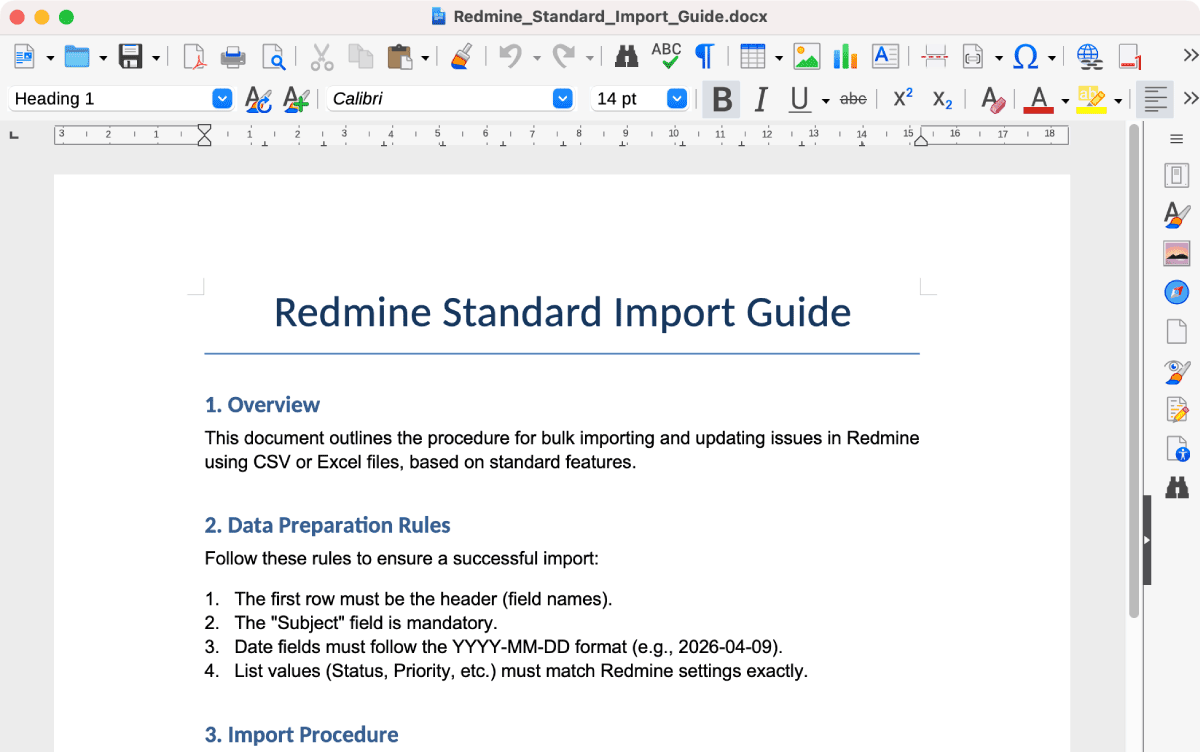
A screenshot of a Word file opened in LibreOffice
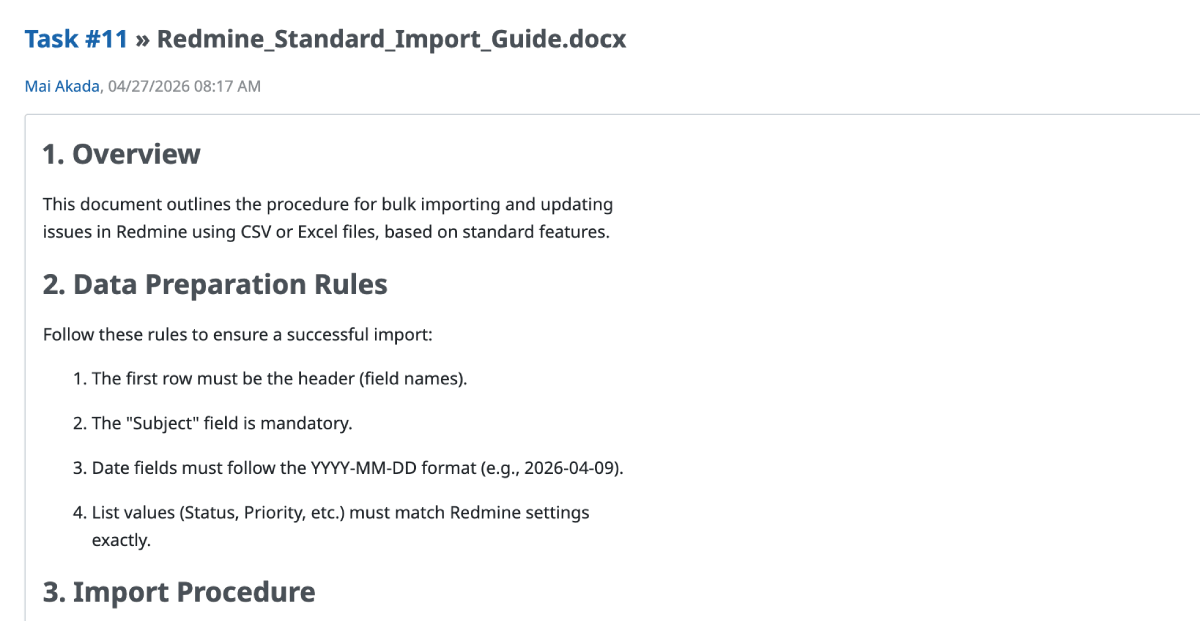
A screenshot of the preview of an Word file attached to a Redmine ticket
In-browser PDF Preview
PDF attachments can now be viewed directly within the browser instead of being forced to download.
Clicking on a PDF file in the attachments list will open the browser’s built-in PDF viewer. This significantly improves the user experience for quickly reviewing documents, as it eliminates the need to download files and open them in external applications.

before: RedMica 4.0
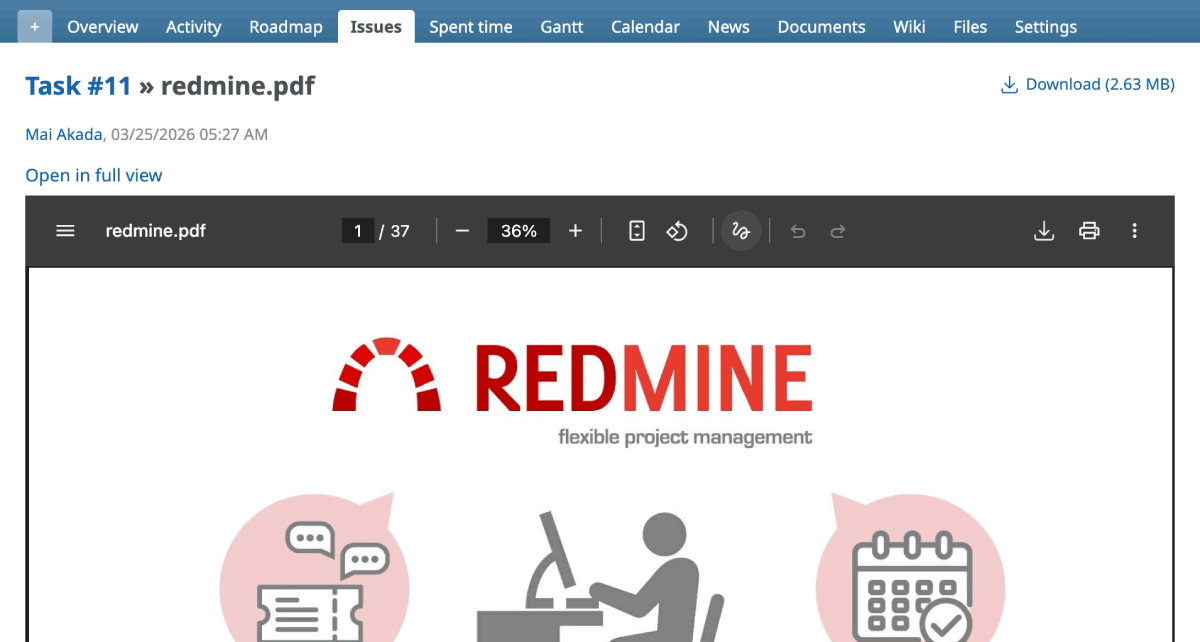
after: RedMica 4.1
AVIF images support
The highly efficient, next-generation image format “AVIF” is now supported. AVIF images can be used for inline images and thumbnails within issues and Wikis.

Add support for pasting spreadsheet tables as CommonMark/Textile tables in wiki textareas
Table data copied from spreadsheets such as Excel or LibreOffice can now be pasted directly into text areas and converted into a table format (CommonMark/Textile).
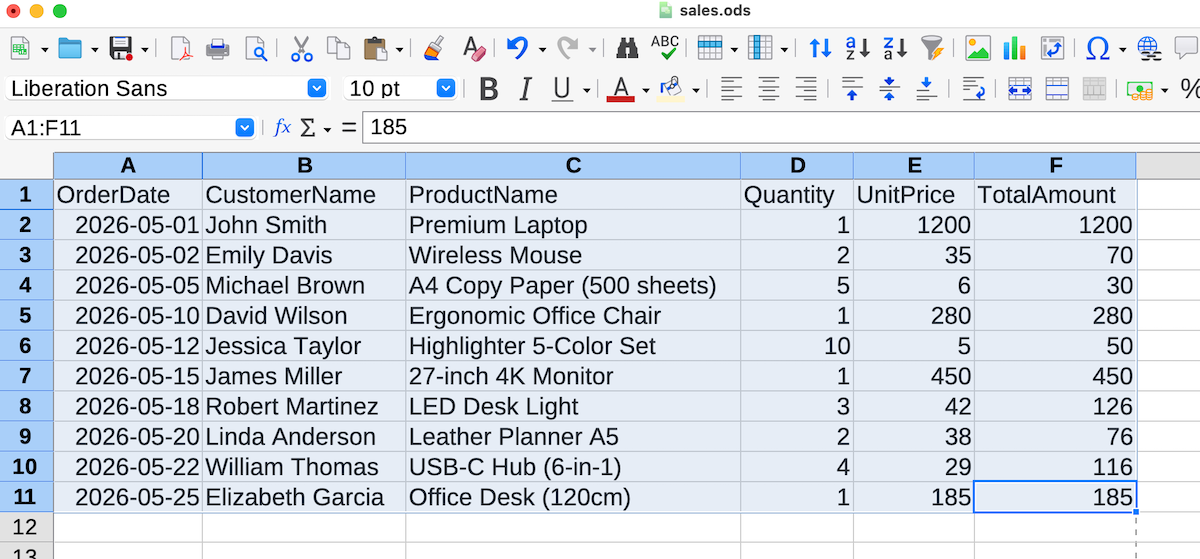
Copy table from spreadsheet
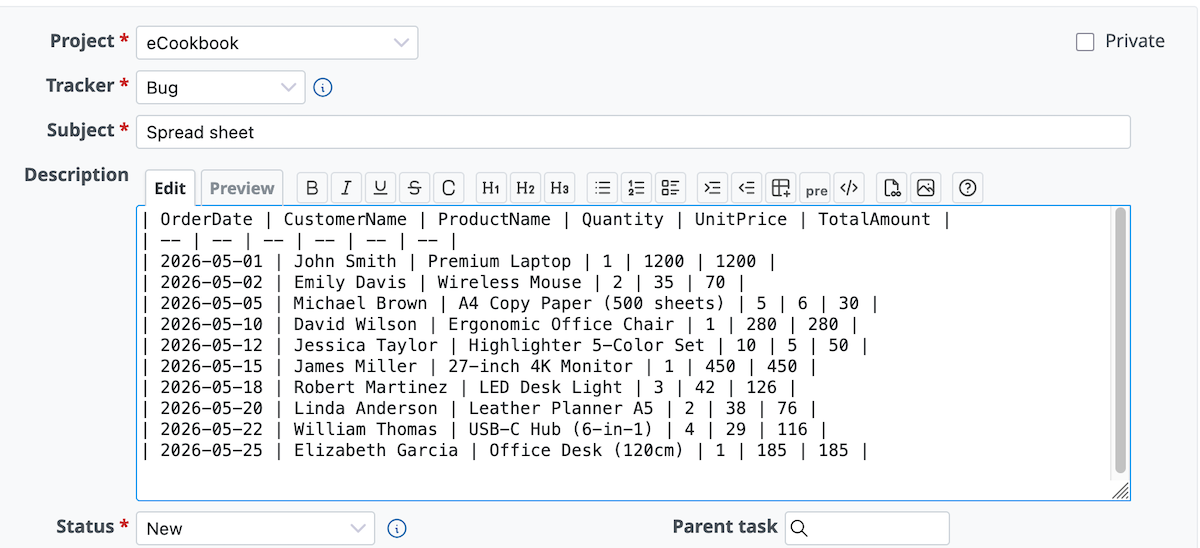
Converted into table format when pasting
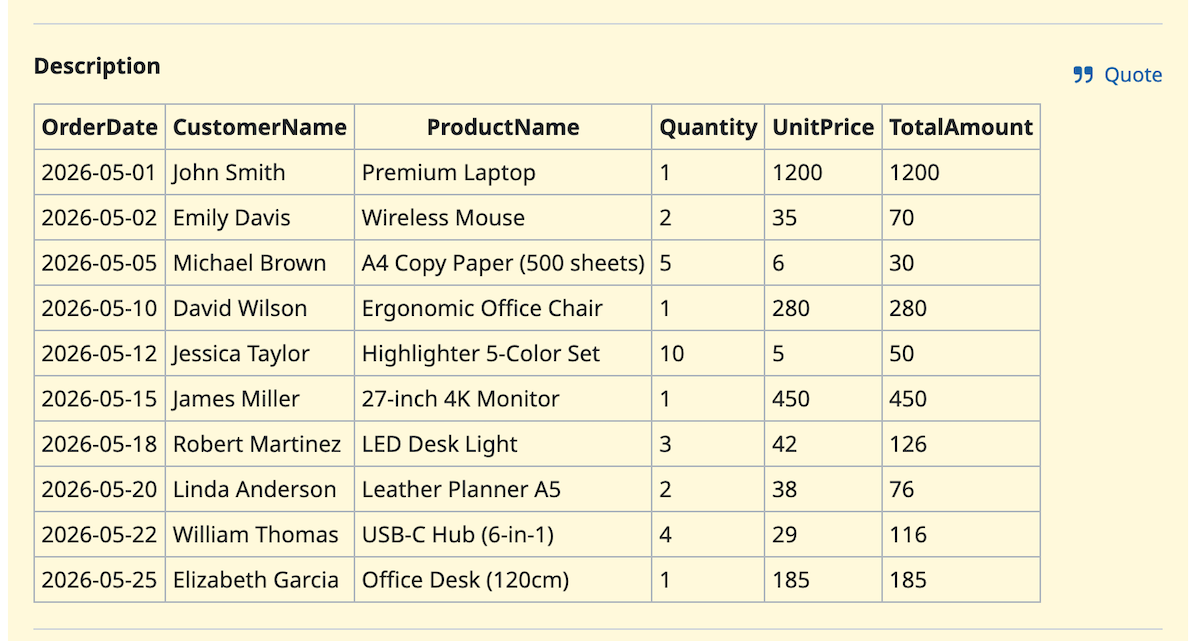
Display table
Add setting to choose users/groups order in assignee dropdown
You can now customize the display order of users and groups in the assignee dropdown menu.
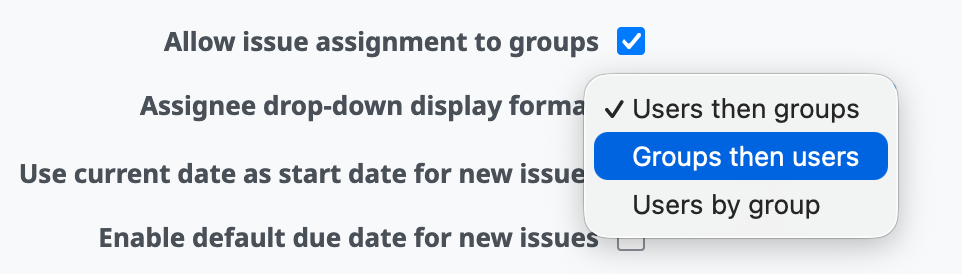
Set "Groups then users"
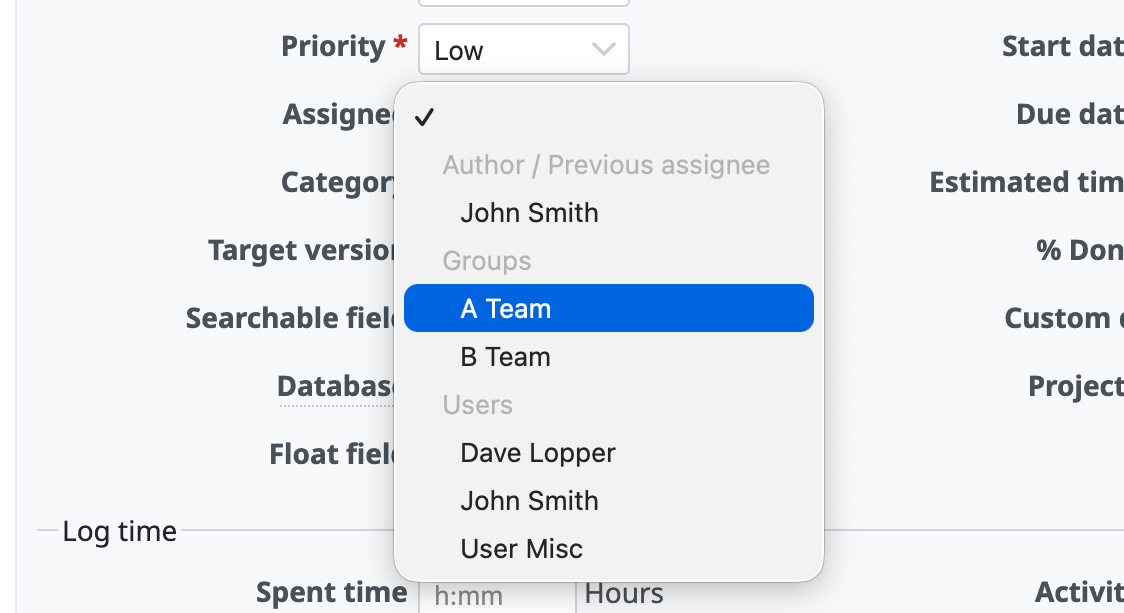
Display groups before users in assignee dropdown menu
"Users by group" display option for assignee drop-down
In the assignee dropdown menu, users can now be displayed by group.
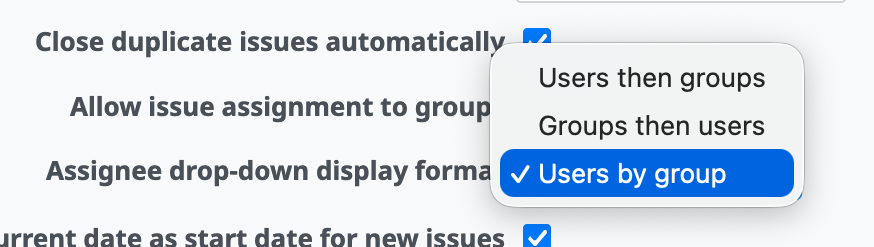
Set "Users by group"
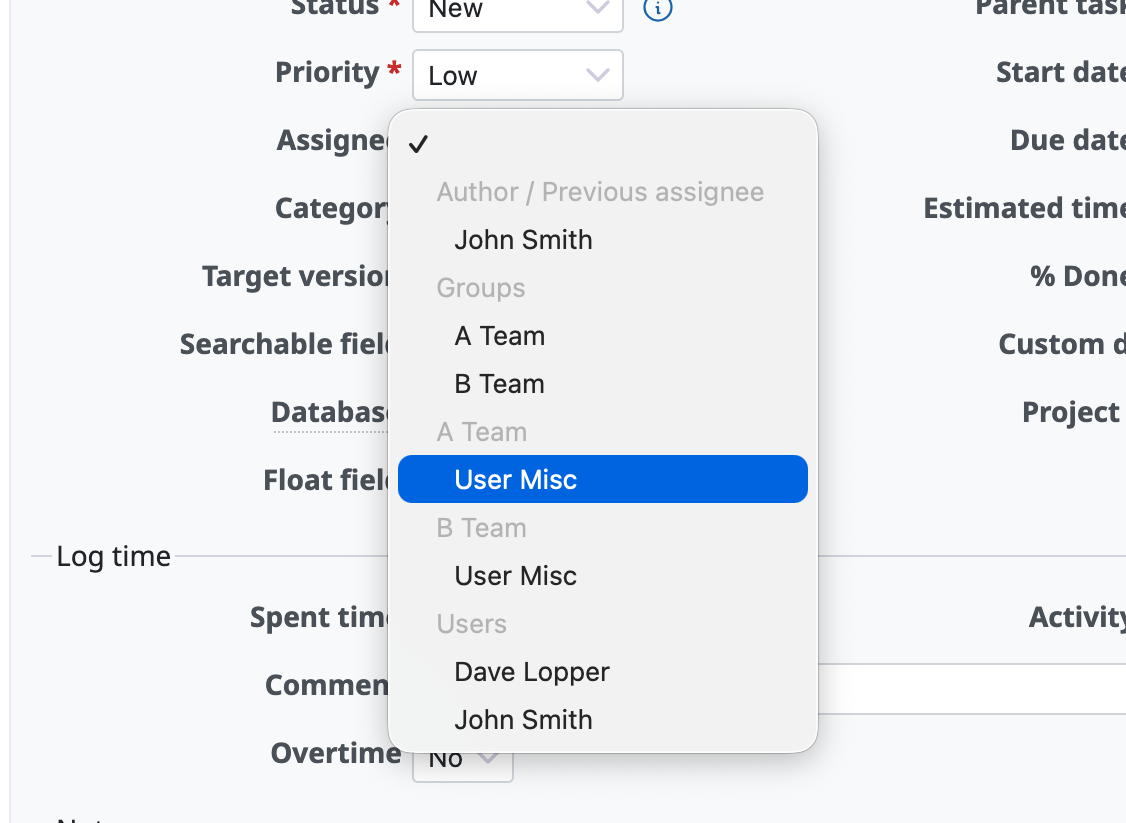
Users are displayed by group in assignee dropdown menu
Name Field Order Follows Display Settings
The order of “First Name” and “Last Name” input fields in user registration and profile forms will now automatically adjust to match the global “User display format” setting.
For example, if the system is configured to display names as “Last Name First Name” (common in certain regions like Asia), the input fields will follow that same order. This provides a more natural and localized data entry experience for users.
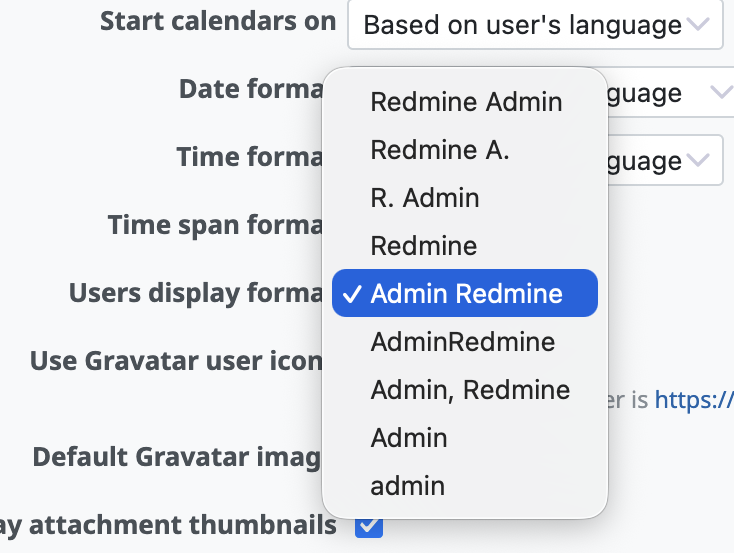
Configured to display names as "Last Name First Name"
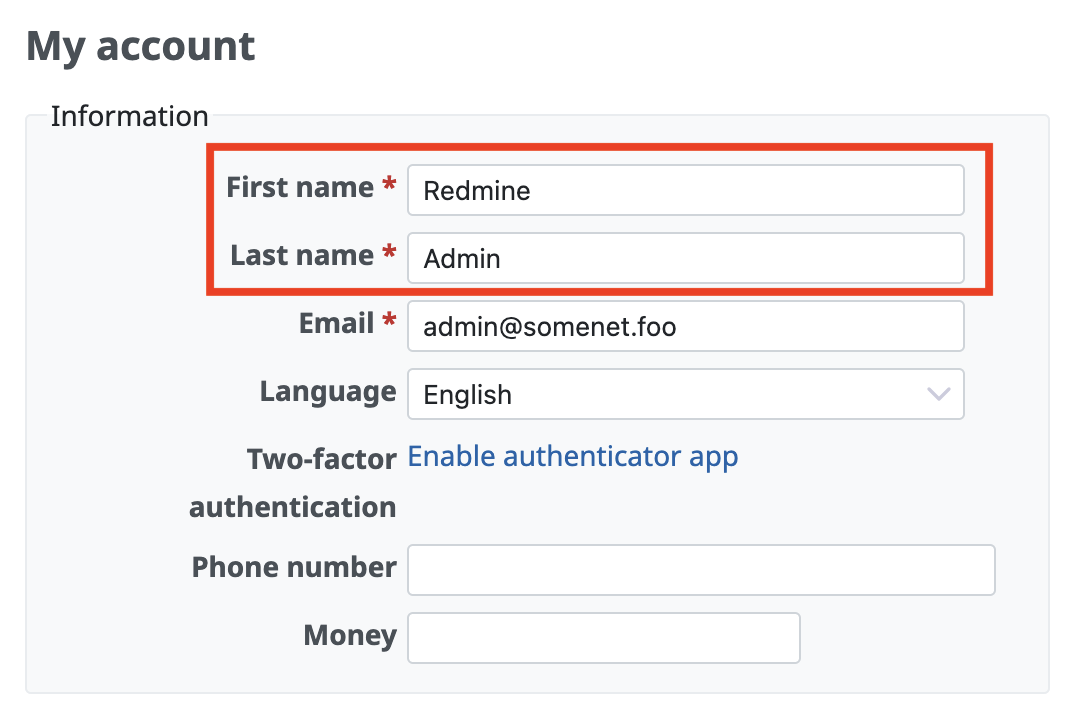
before: RedMica 4.0
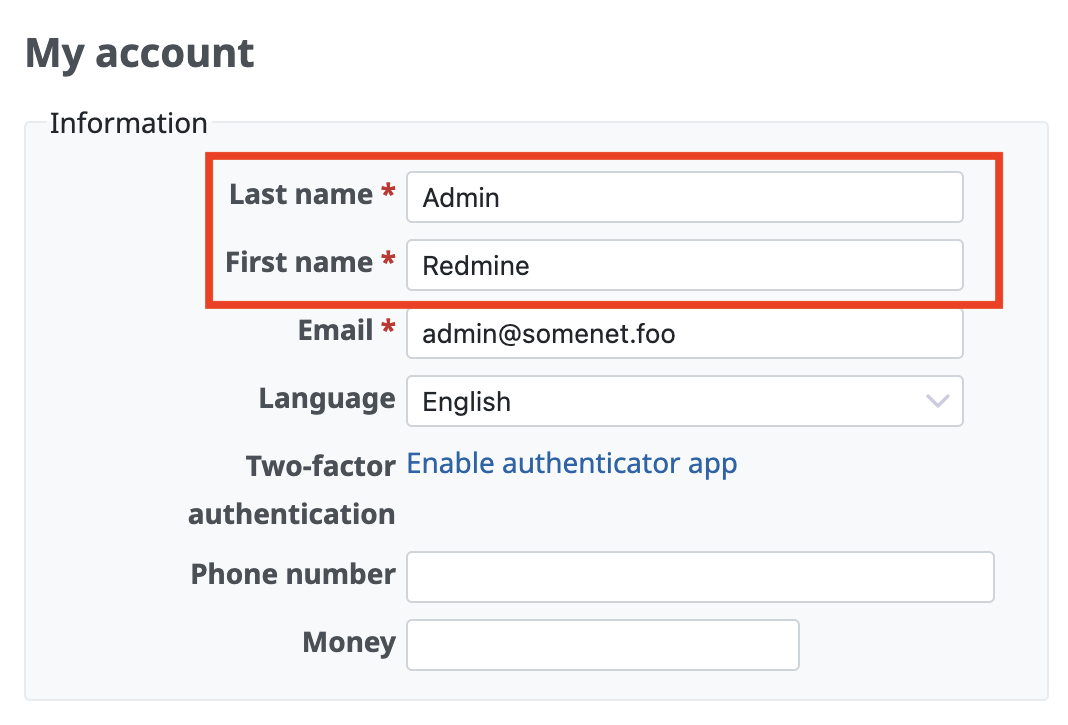
after: RedMica 4.1
Change "Delete" to "Remove" for Non-destructive Actions
The labels for actions that do not result in actual data deletion are being changed from “Delete” to “Remove” to avoid confusion.
By changing the label to “Remove” and the icon from a trash can to a broken chain link, it is clarified that only the association is being broken, and the data itself remains in the database.
Specific situations where this change applies include:
- Removing a user from a project
- Removing a member from a group
- Removing a watcher from an issue
- Unlinking a related issue
- Unlinking a parent or child issue
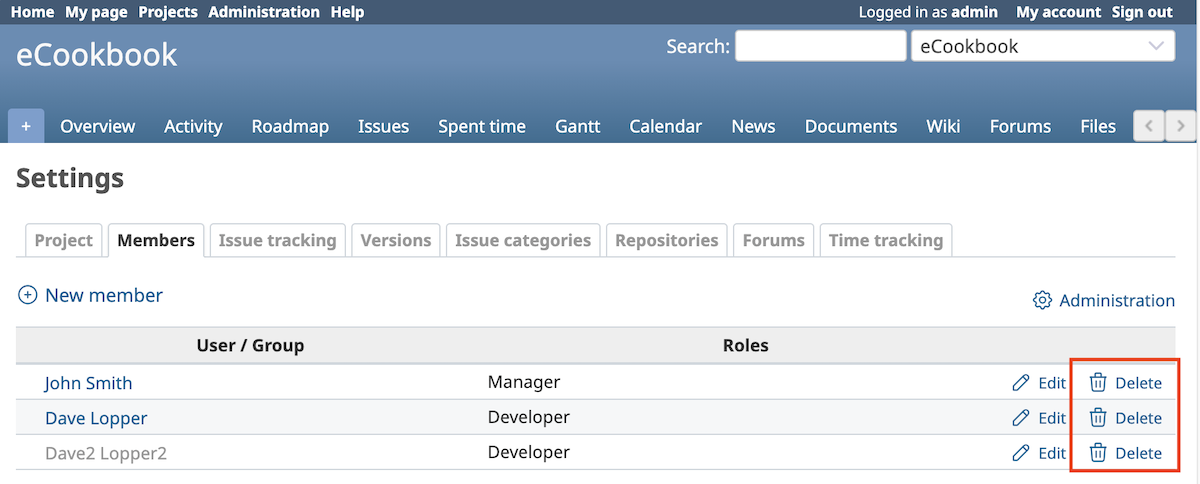
before: RedMica 4.0
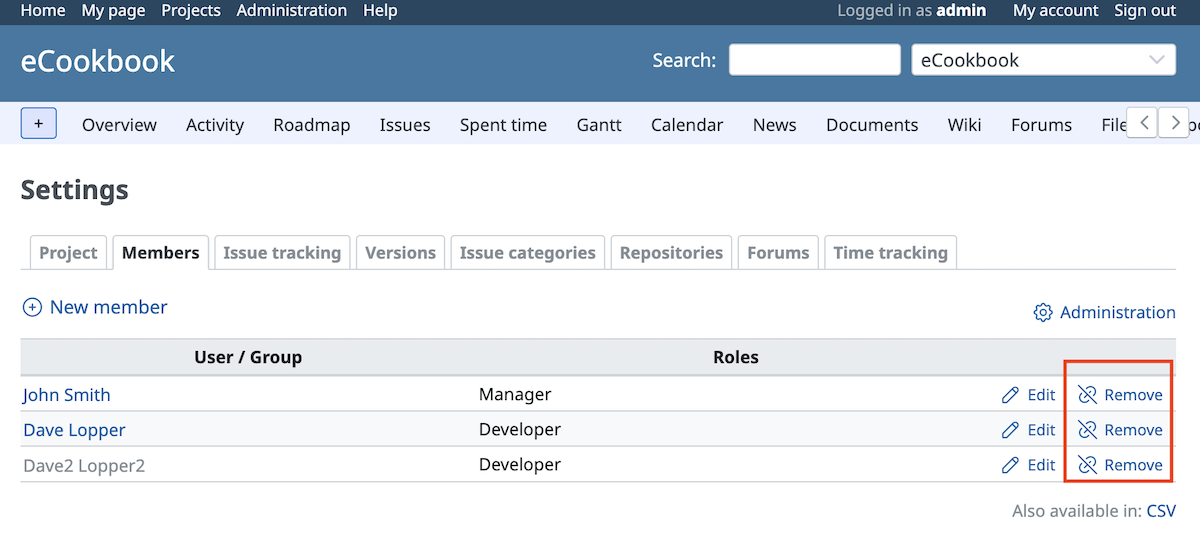
before: RedMica 4.1
Align issue previous/next link styling with pagination buttons
The ‘Previous/Next’ link style in issues has been updated to match the pagination buttons.
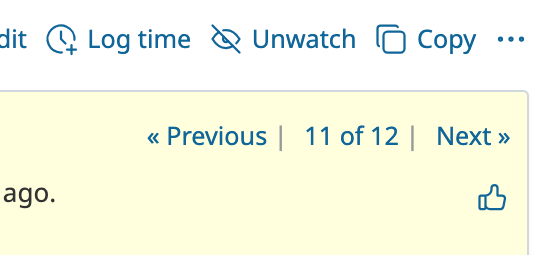
before: RedMica 4.0
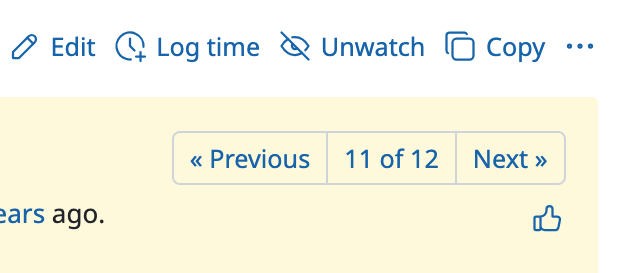
before: RedMica 4.1
Improve RTL layout support by replacing physical CSS properties with logical ones in core CSS files
CSS files have improved for a Right-to-Left (RTL) language (such as Arabic or Persian).

Export all Wiki pages as ZIP archive
You can download all Wiki pages within the project in text file format as a ZIP archive. If you feed the files into an AI, you can easily summarize and analyze the entire project.

CSV export of project memberships
You can now export the member list as a CSV file at the “Members” tab of the project settings.

Auto-watch for Issues Assigned to Me
A new feature has been added that automatically adds you as a watcher when an issue’s assignee is changed to you.

Add a mail notification option for watched objects only
“Only for things I watch” has been added to the mail notification settings on the My account page. You can now receive email notifications only for watching objects.

Default due date for new issues with configurable offset from today
You can now set a default due date for new issues. The due date will be offset by your specified number of days from today.
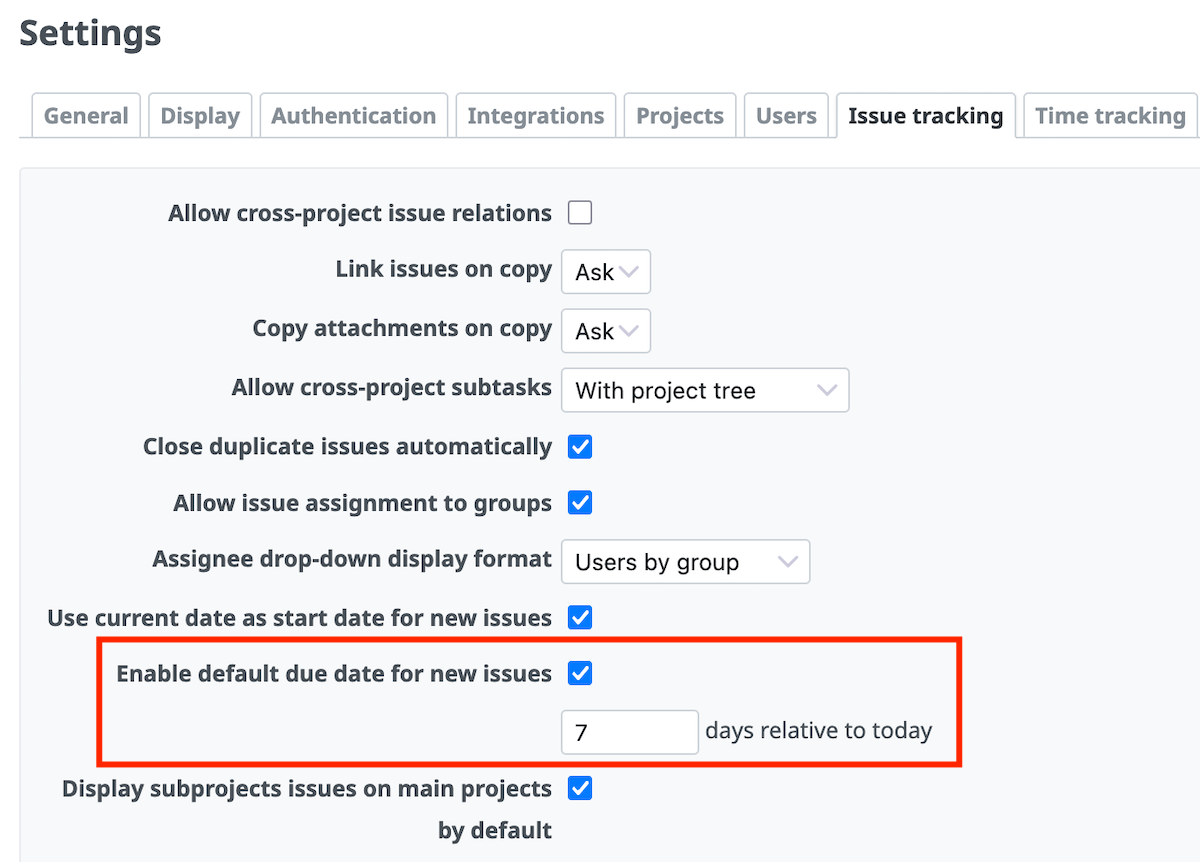
Enable default due date for new issues (for example: 7 days)
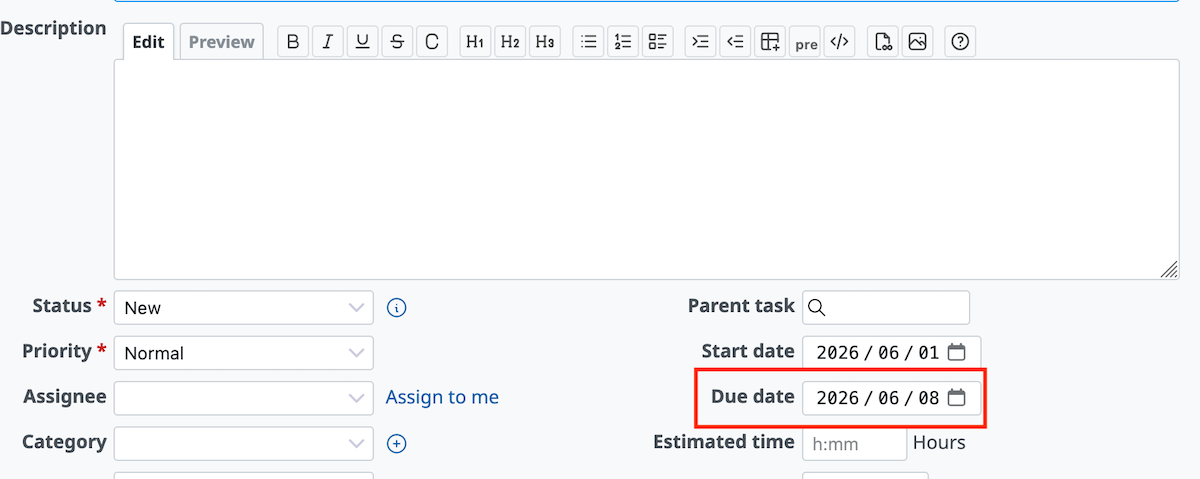
Set due date 7 days after from today automatically
Improve workflow update performance
In environments with a large number of statuses, the processing speed for saving workflow configurations has been significantly improved.
Allow `h:mm` time span format input in the hours filter of TimeEntryQuery
In “Hours” filter on Spent time, you can now enter durations in “h:mm” format (e.g., “1:30” for 1 hour 30 minutes), in addition to integers and decimals (e.g., “1.5”).
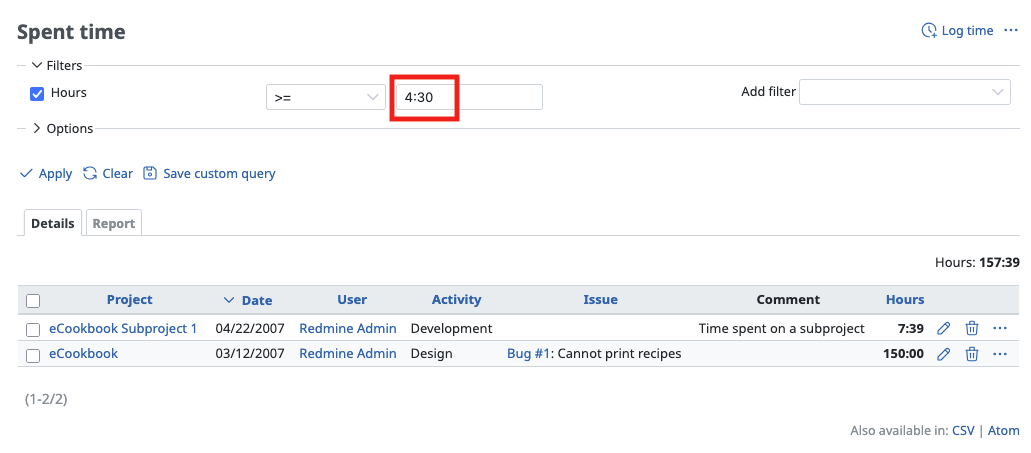
`h:mm` format
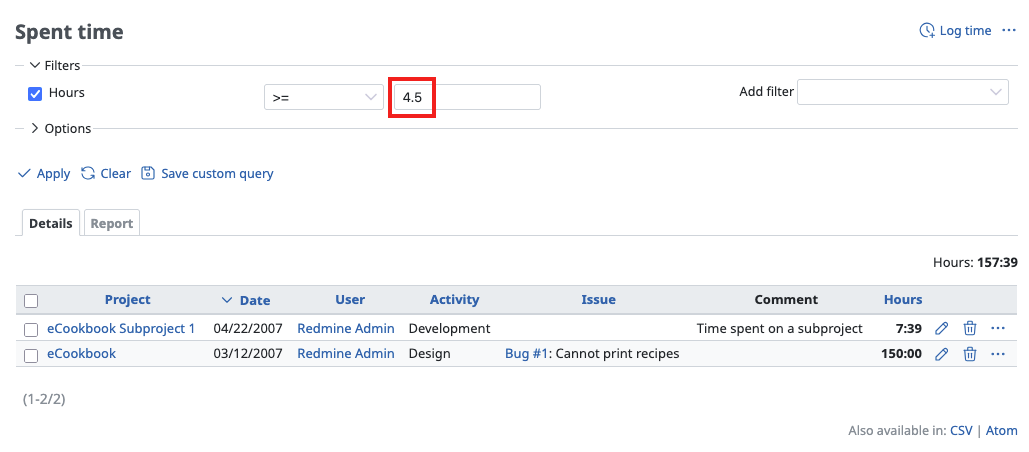
Decimal format
Plugin Improvements
UI Extension
The list width now adapts to the content length, making it easier to select.
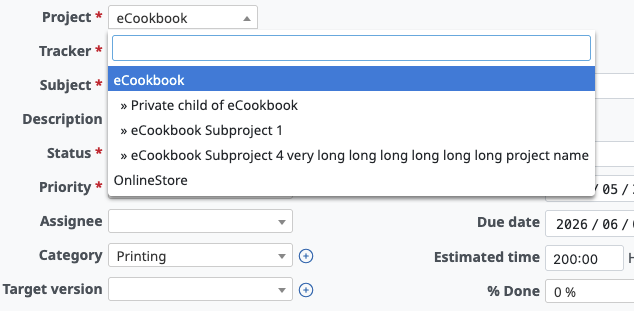
New version
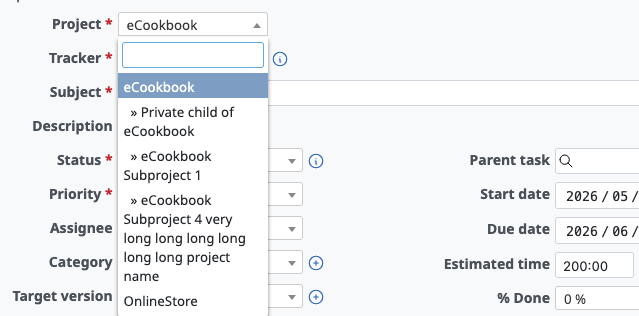
Old version
Try It Now with My Redmine!
You can try out My Redmine today with our Free Trial. Experience the benefits of cloud-based Redmine firsthand by checking out its features and usability.
Click here for My Redmine Free Trial
You can try My Redmine for free for up to two months (until the end of the next month).