Displaying Alert Boxes Using Markdown in My Redmine
In this article, we explain how to display alert boxes using Markdown syntax in My Redmine, the Redmine-based cloud service.
Starting from RedMica 3.2 (Redmine 6.1), Markdown now supports alert box syntax, allowing important information to stand out visually in issues and Wiki pages. In My Redmine, this feature became available starting from the 2025 Summer Version Update.
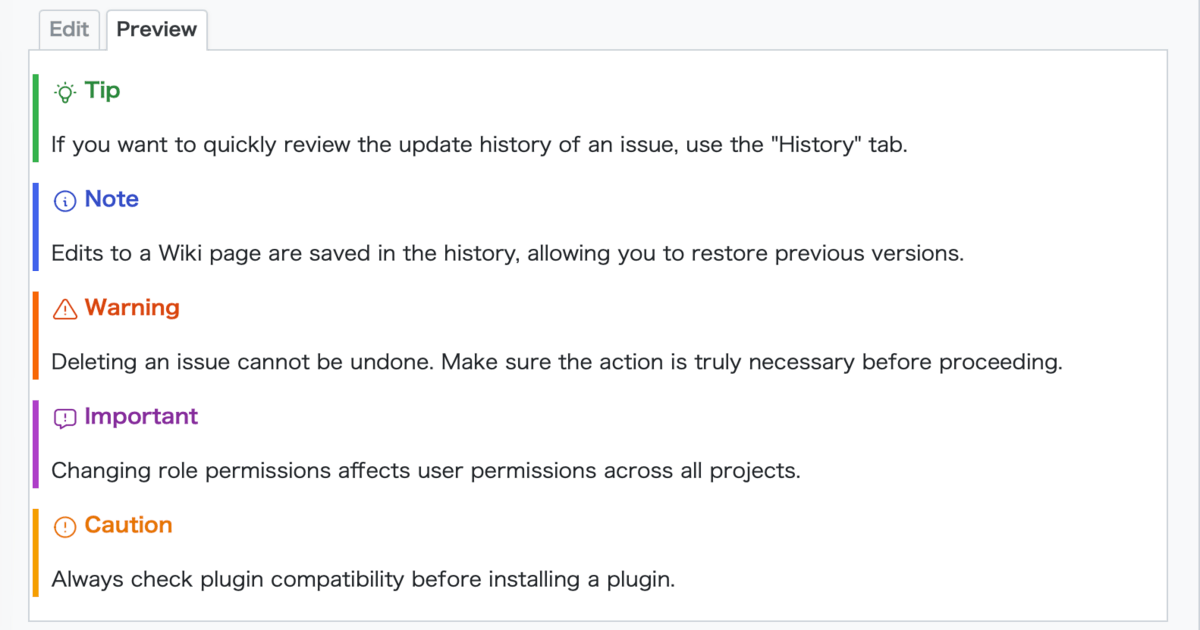
Table of Contents
Markdown Support for Alert Boxes
By using alert boxes, important information can be emphasized clearly.
In Wiki pages and issues, they make notes and supplementary explanations more visible and easier to read.
Examples of Alert Box Syntax
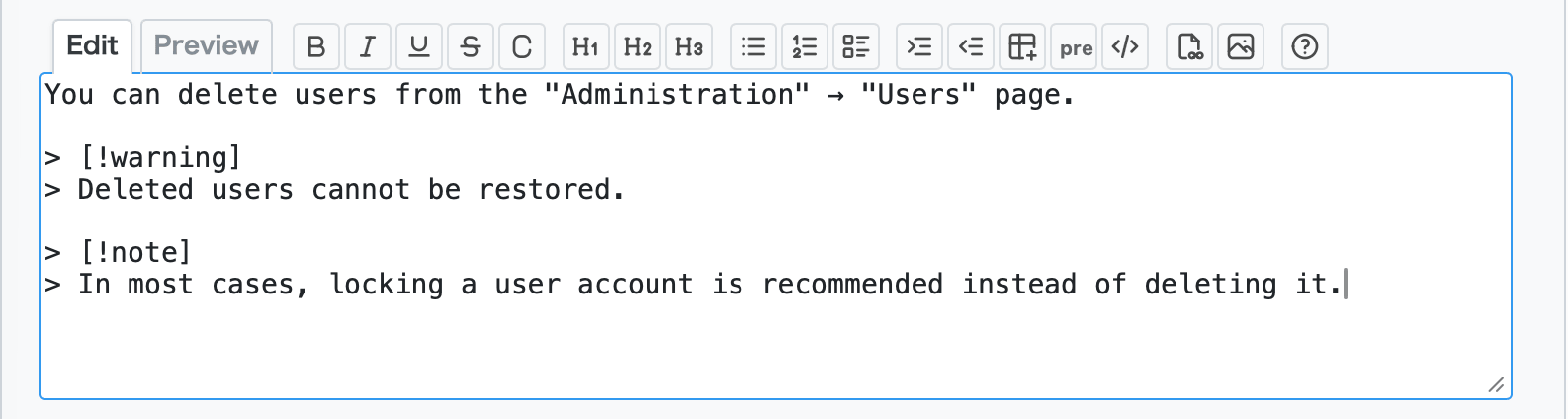
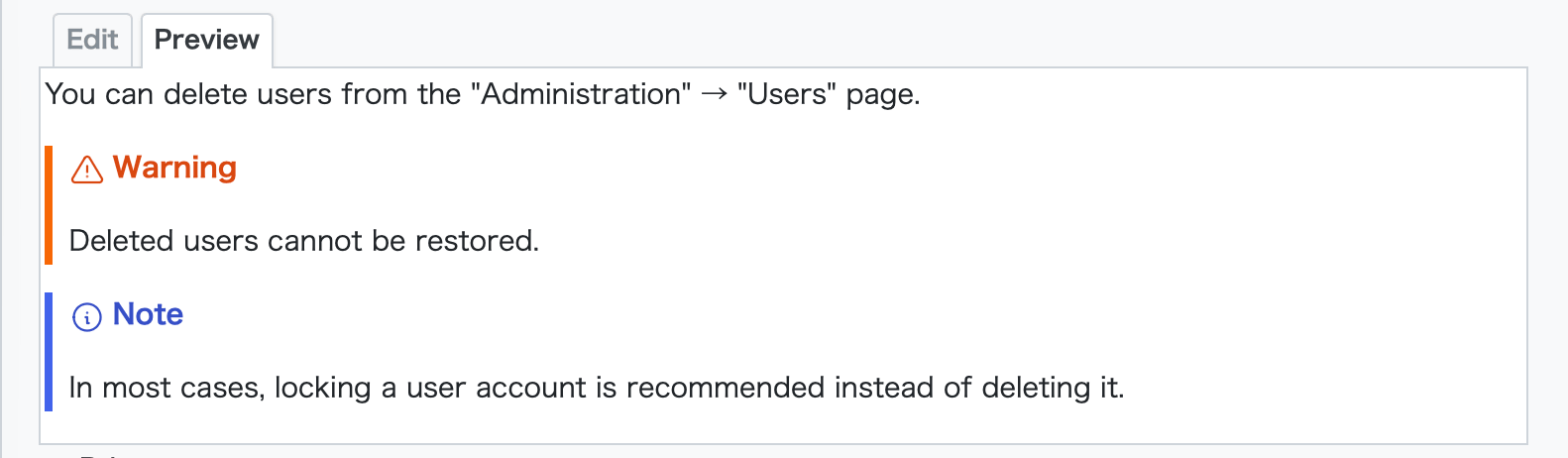
You can display alert boxes like the examples below using the following Markdown syntax.
> [!tip]
> If you want to quickly review the update history of an issue, use the "History" tab.

> [!note]
> Edits to a Wiki page are saved in the history, allowing you to restore previous versions.

> [!warning]
> Deleting an issue cannot be undone. Make sure the action is truly necessary before proceeding.

> [!important]
> Changing role permissions affects user permissions across all projects.

> [!caution]
> Always check plugin compatibility before installing a plugin.
You can also customize the displayed label such as Tip or Note by writing it like this:
> [!warning] Warning (Deleted issues cannot be restored)
> Deleting an issue cannot be undone. Make sure the action is truly necessary before proceeding.

Summary
Markdown alert boxes in My Redmine allow you to highlight important information clearly in issues and Wiki pages.
By emphasizing notes, warnings, and supplementary information visually, your documentation becomes easier to read and understand for your team.
We encourage you to use alert boxes when writing important instructions or cautions in your project documentation.
Try It Now with My Redmine!
You can try out My Redmine today with our Free Trial. Experience the benefits of cloud-based Redmine firsthand by exploring its features and usability.
Click here for My Redmine Free Trial
You can try My Redmine for free for up to two months (until the end of the following month).