GitHub Integration Now Available for My Redmine Global Edition
We are pleased to announce the release of the GitHub Integration feature for My Redmine on July 16, 2026.
Powered by the GitHub Webhook Adapter plugin, this feature automatically associates commit information from GitHub repositories with Redmine issues, allowing teams to combine GitHub’s source code management with Redmine’s flexible issue tracking capabilities.

Background
Many My Redmine users have requested the ability to manage source code in GitHub while continuing to use Redmine’s workflows, custom fields, and flexible issue management features.
To meet this demand, we developed the GitHub Webhook Adapter plugin, which provides the GitHub Integration feature.
This feature enables teams to seamlessly combine GitHub for source code management with Redmine’s powerful issue tracking capabilities.
Key Features
This feature works by sending commit information from GitHub repositories to My Redmine through GitHub webhooks, allowing Redmine’s built-in repository integration features to process the commits. As a result, commit messages can be used to update issue status and log working time. This feature currently supports only repositories hosted on GitHub.com. GitHub Enterprise Server is not supported.
1. Automatically Associate Commits with Issues
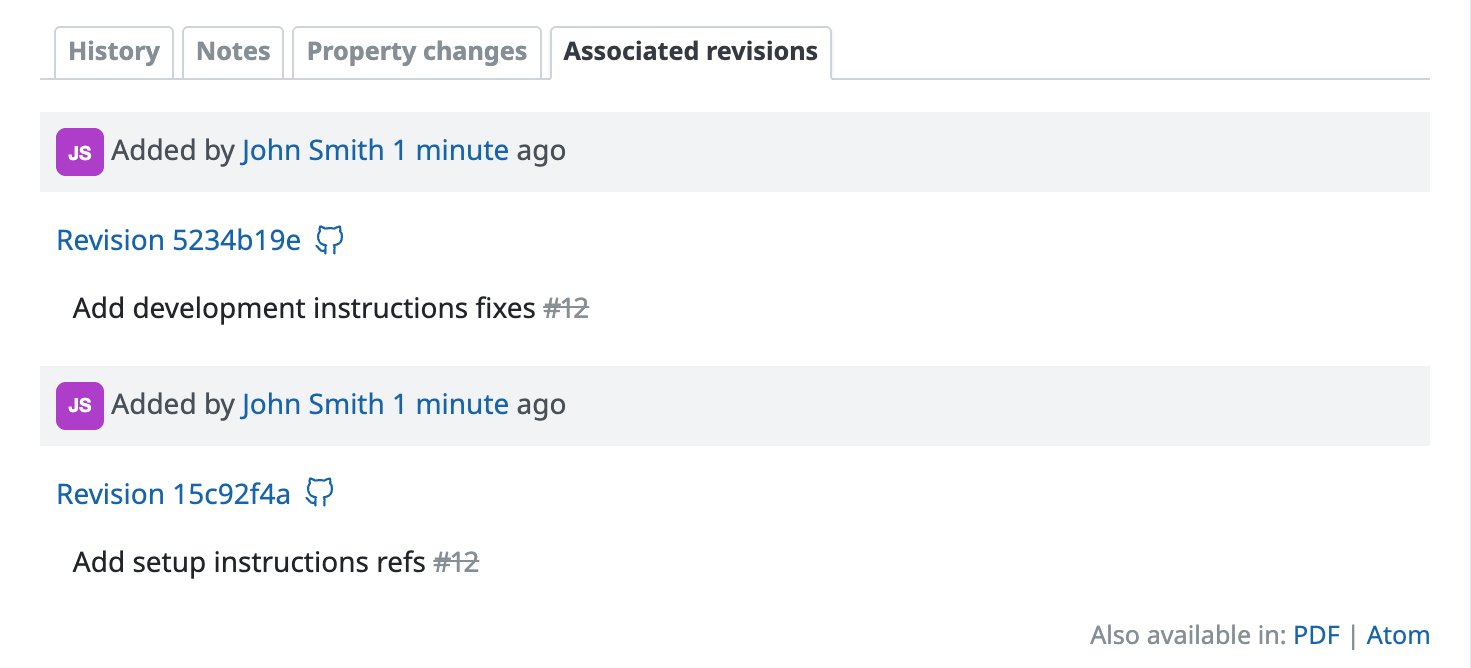
Simply include an issue number (for example, #123) in a commit message to automatically associate the commit with the corresponding Redmine issue as an associated revision.
This allows you to:
- See when, by whom, and how the source code was changed for each issue.
- Identify which issue each source code change was made to address.
- Open the corresponding GitHub commit page directly from the link automatically added to the issue to review repository details such as file contents and commit diffs.
2. Update Issue Status and Log Time from Commit Messages
By using fixing keywords in commit messages, you can update an issue’s status and progress. You can also log time on an issue by including the issue number together with the time spent. Time is recorded according to your Redmine settings.
refs #123 @2.5h3. Simple Repository Configuration
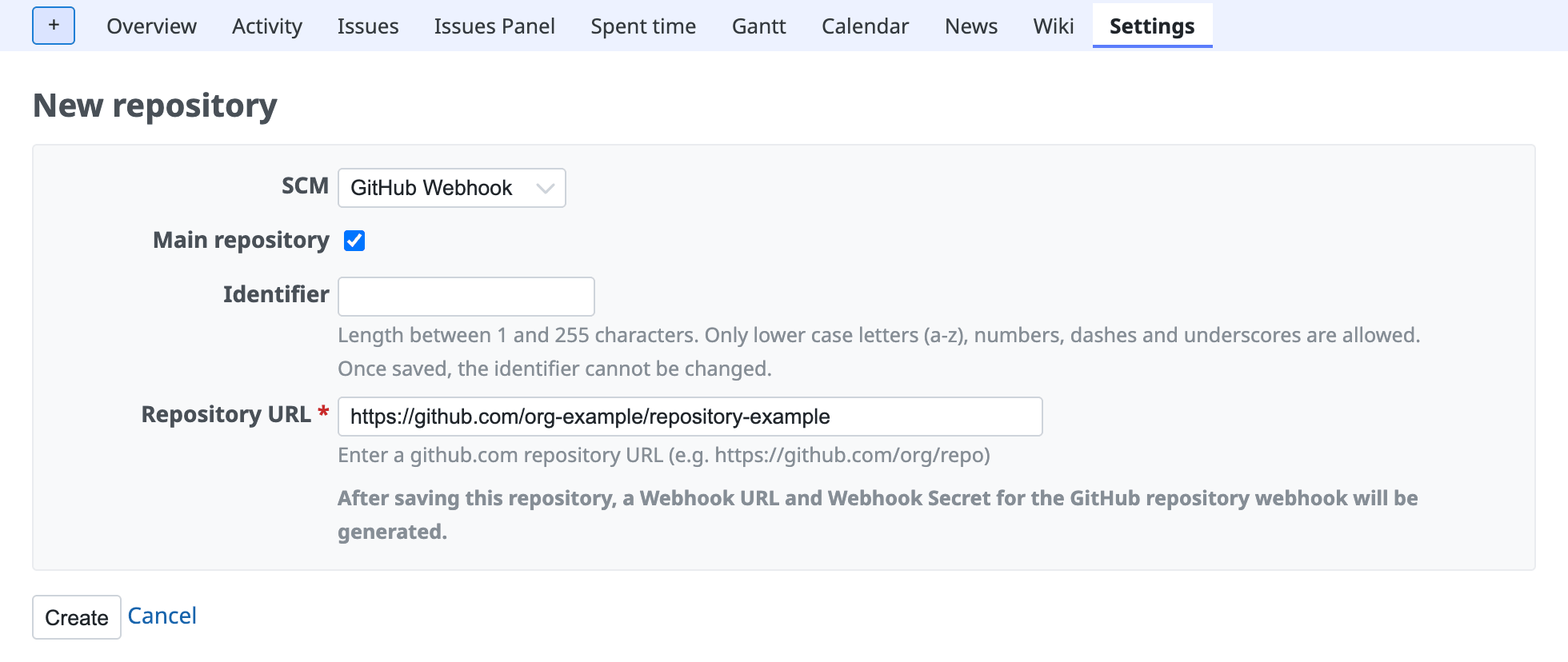
Generate the webhook information from My Redmine and register it in GitHub.
4. View Received Commits
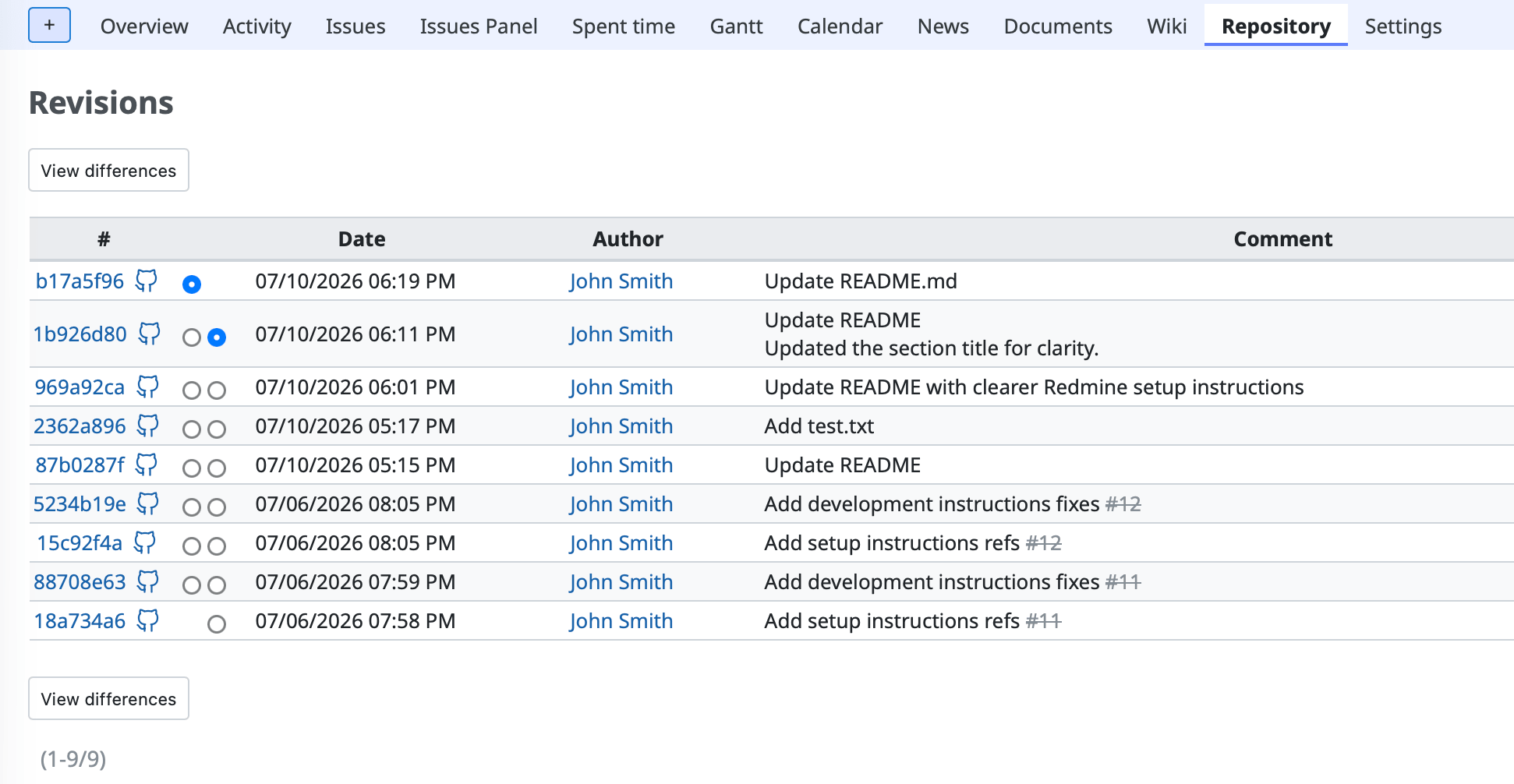
All commits received from GitHub can be viewed in My Redmine.
Plans and Pricing
- Applies to: All My Redmine Global Edition plans
- Additional Cost: None
GitHub Integration is available as a standard feature at no additional charge.
Availability
July 16, 2026
For Detailed Setup Instructions
For setup instructions, supported features, limitations, and troubleshooting information, please refer to the following page: